> ## Documentation Index
> Fetch the complete documentation index at: https://docs.archetypeai.app/llms.txt
> Use this file to discover all available pages before exploring further.
> ## Agent Instructions
> Start with /introduction/getting-started. Use the Direct Query API (POST /query) with the Newton Fusion model (text, image, and video reasoning) or the Newton Omega encoder (time-series embeddings). ATAI_API_ENDPOINT must include the version path: /v0.5 for most APIs, /v0.6 for the Fine-Tuning Service. Pages whose descriptions are marked (Archived) document the legacy Lens runtime — do not use them for new projects.
# Agent Gallery
> Browse the available agent blueprints, view details about them, and access code examples and live demos.
## The Agent Gallery
To view the available agent blueprints, visit the [Agent
Gallery](https://console.u1.archetypeai.app/dashboard/agents) in the Developer Console. This
presents a view showing cards for each of the available agent blueprints.
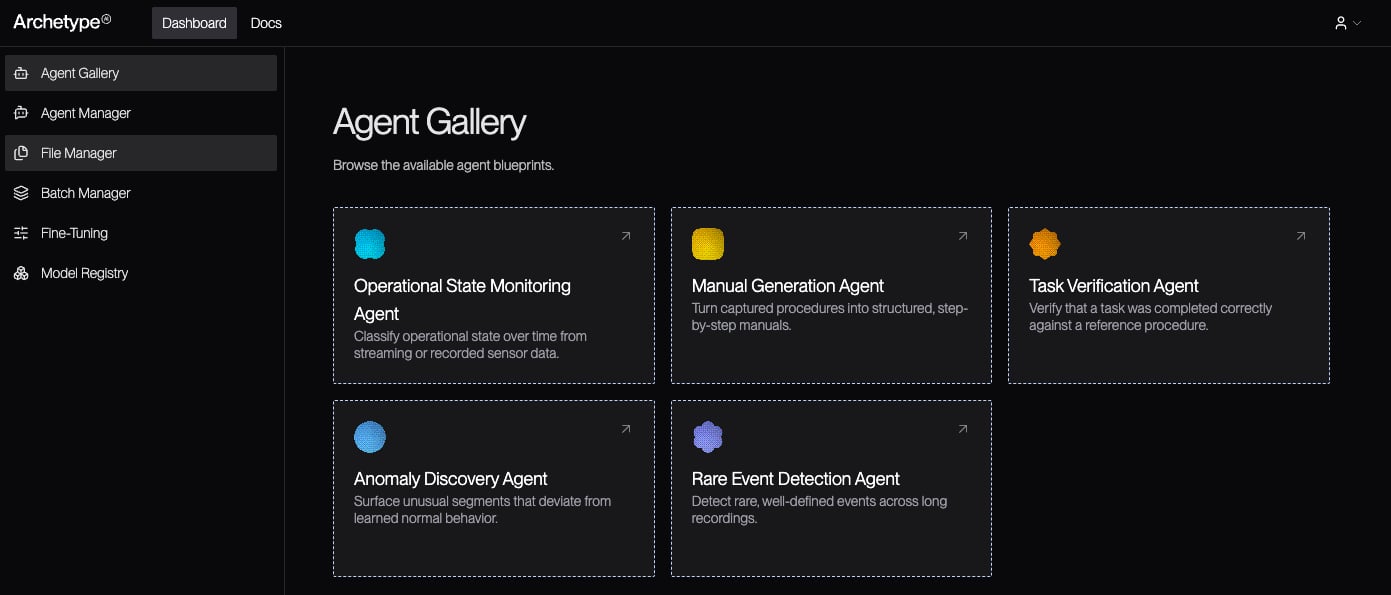 To learn more about a given agent, click on the corresponding blueprint's card in the Agent
Gallery.
## The Agent Blueprint Details Page
The agent blueprint details page provides information about the blueprint, including a list of
common use cases and access to tools that let you experiment with and try out the blueprint. On
this screen, you can also choose to view the blueprint's code by clicking the **View code**
button, and you can view documentation about the agent blueprint by clicking **View docs**.
### On This Page
* **Use cases:** A list of common use cases for agents started from this blueprint.
* **Try it in the playground:** Most agents offer one or more playgrounds, where you can try
running the agent against real data, with log access and access to the output as it comes in.
* **Test it out:** Details on how to build and run a standalone example, either in your terminal
or using agent skills.
Not all agent blueprints offer all of these sections.
To learn more about a given agent, click on the corresponding blueprint's card in the Agent
Gallery.
## The Agent Blueprint Details Page
The agent blueprint details page provides information about the blueprint, including a list of
common use cases and access to tools that let you experiment with and try out the blueprint. On
this screen, you can also choose to view the blueprint's code by clicking the **View code**
button, and you can view documentation about the agent blueprint by clicking **View docs**.
### On This Page
* **Use cases:** A list of common use cases for agents started from this blueprint.
* **Try it in the playground:** Most agents offer one or more playgrounds, where you can try
running the agent against real data, with log access and access to the output as it comes in.
* **Test it out:** Details on how to build and run a standalone example, either in your terminal
or using agent skills.
Not all agent blueprints offer all of these sections.