

Step 1: Create the Bot
1
Access Telegram Web
Go to https://web.telegram.org/ and log into your Telegram account
2
Start Chat with BotFather
Open a new chat with BotFather → https://web.telegram.org/k/#@BotFather
3
Initialize Bot Creation
- Click Start
- Type
/newbotand follow the instructions in the chat
4
Get Bot Token
You’ll receive a message with the bot token. It should follow the format
12345812:AAHFfasdfasdf. Store it securely.Example Bot Token Message
Step 2: Get Your Chat ID
There are two simple ways to get your Chat ID:Option 1: Using @WhatChatIDBot
1
Open Chat with Bot
Start a conversation with @WhatChatIDBot in Telegram
2
Get Your Chat ID
The bot will give you a number - that’s your Chat ID (e.g.,
908246003)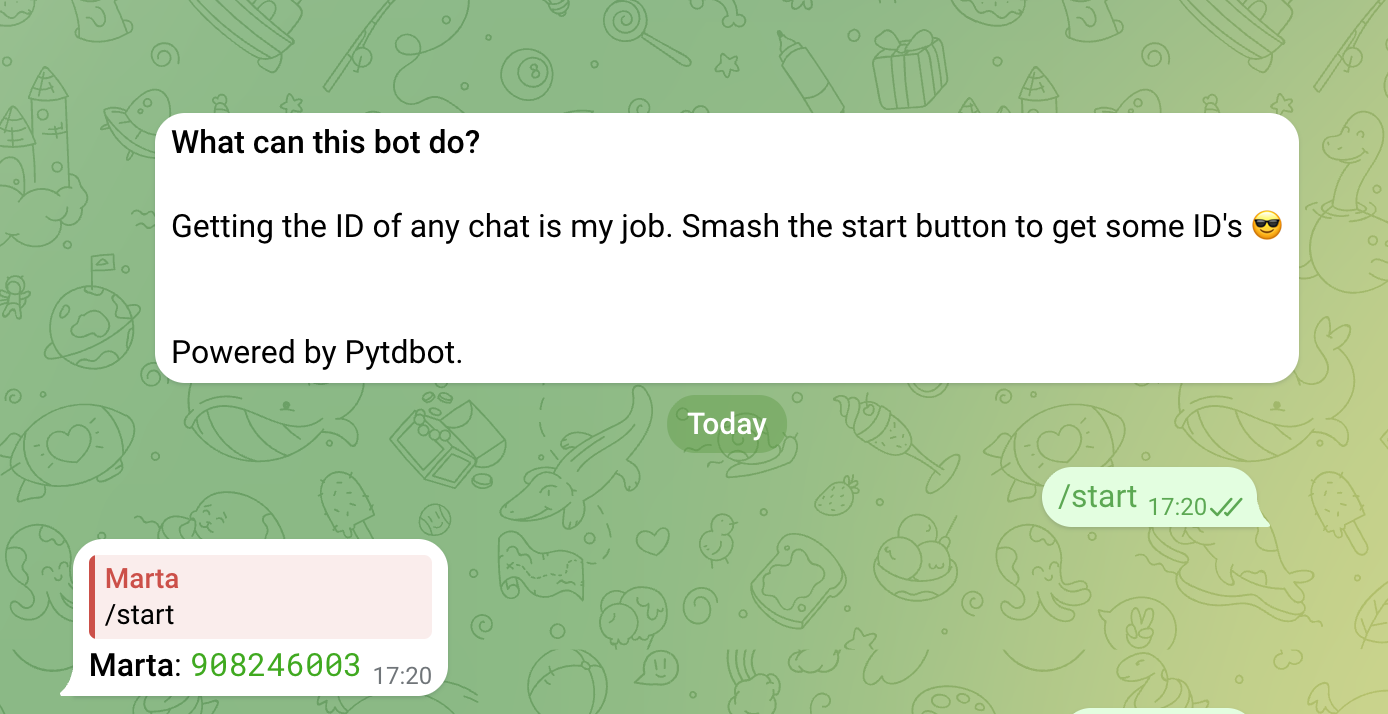
Option 2: Using @RawDataBot
1
Open Chat with Bot
Start a conversation with @RawDataBot in Telegram
2
Copy the ID Field
The bot will return JSON data. Copy the
id field - that’s your Chat ID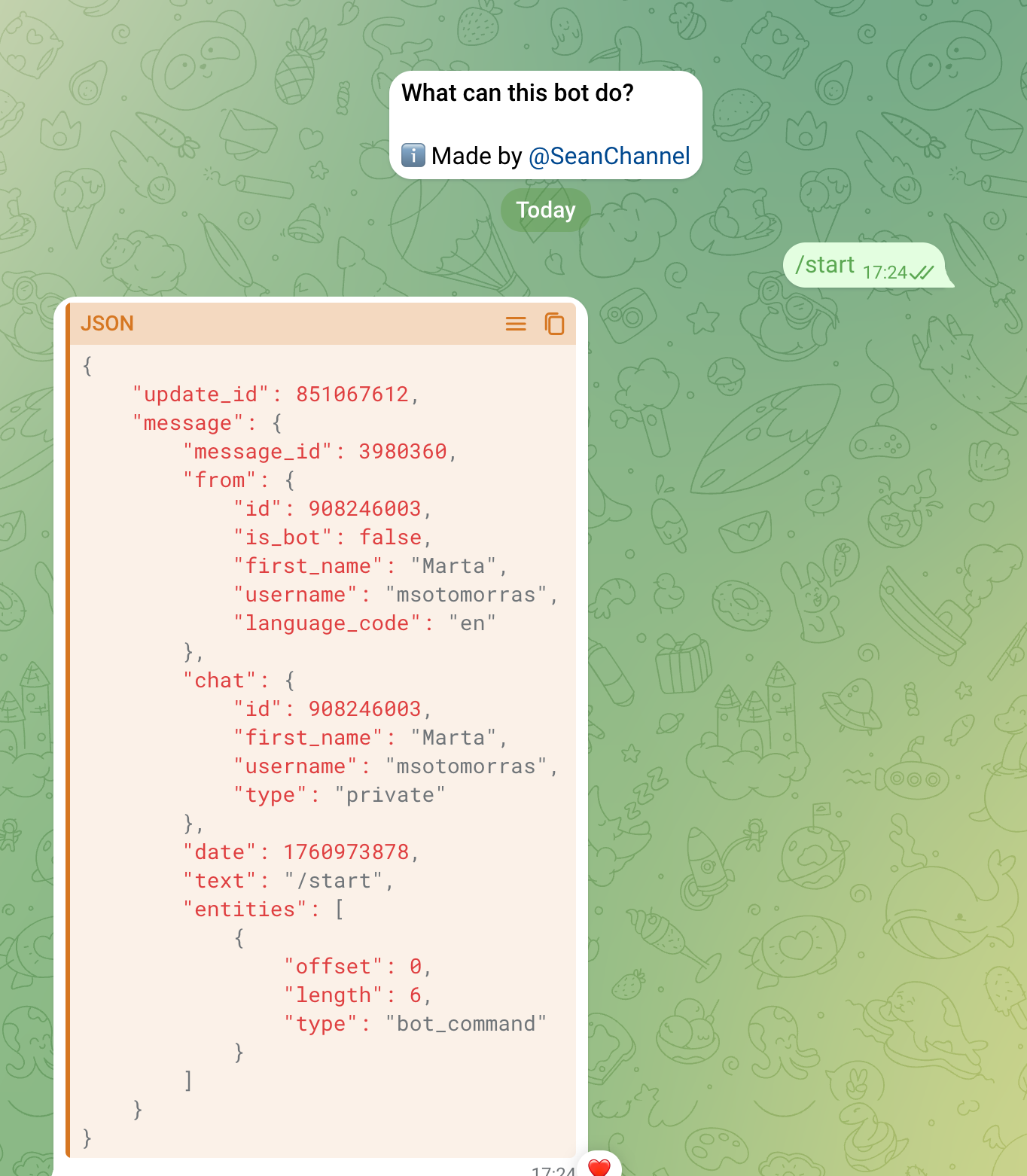
Step 3: Add Your Credentials
Now you should have both:- Bot Token:
796286017123123:AAHfDqivpCQXxM5SNt_BqBjNANddAdowHJASJU - Chat ID:
908246003
Update Application Code
Add these credentials to your application:Step 4: Test the Connection
1
Start the Application
Run the bot application:
python app_telegram.py2
Send Test Command
Send
/start to your bot in Telegram3
Verify Response
Your bot should respond with available commands and usage instructions