

How Agents Work
To work with Newton agents, you move through four phases. Each phase produces one object with its own ID, and each ID links back to the phase before it (by referencing that phase’s corresponding object). A session result can always be traced to the exact blueprint version that produced it.The Agent Lifecycle
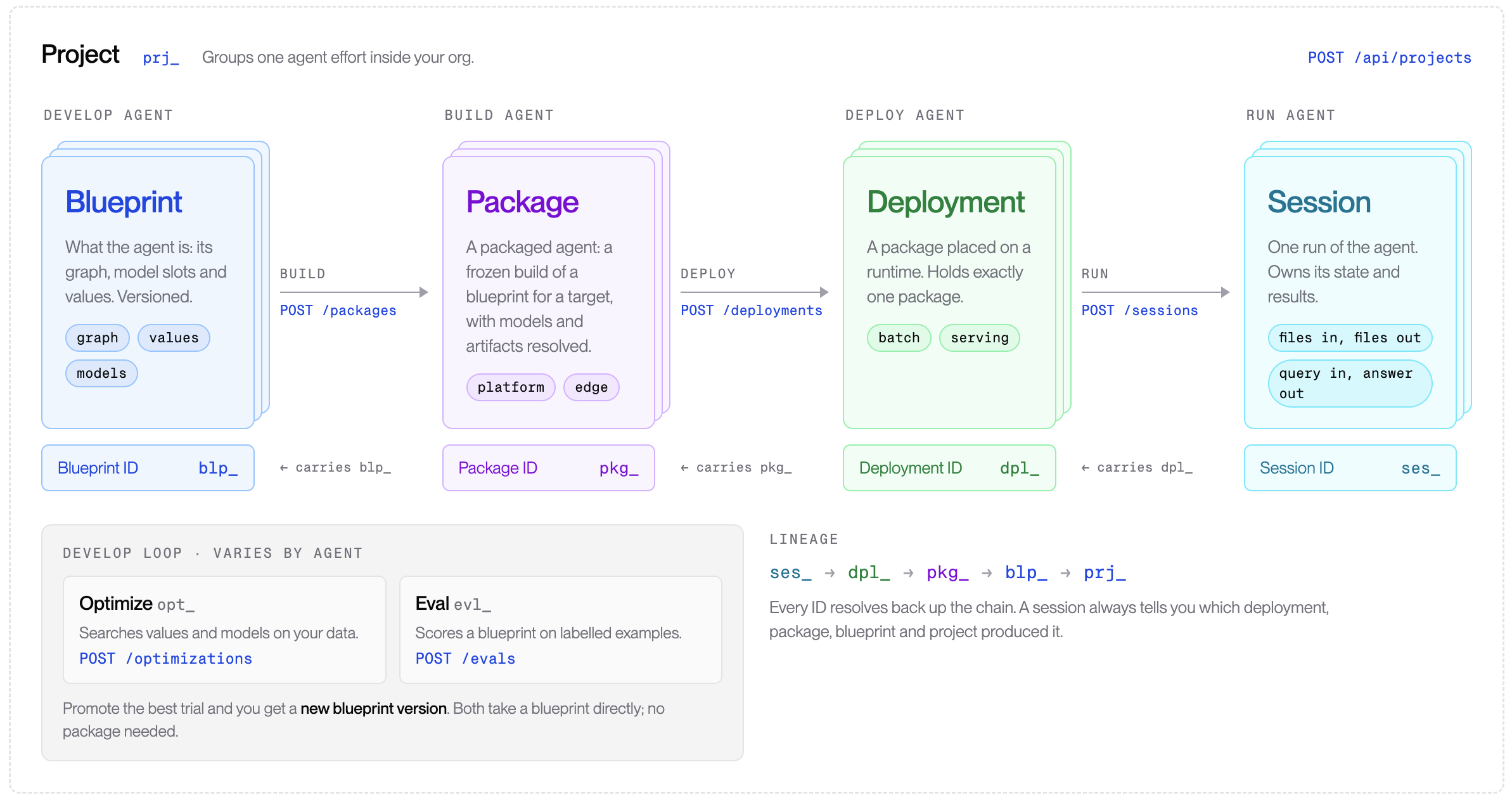
Creating and Using Agents
There are two ways you can create, monitor, and manage agents from these agent blueprints:- Using the Agents API: Use Archetype’s APIs to
create and manage projects and the phases of the agent lifecycle.
- Projects API: Create and manage projects from your code.
- Agents API: Create projects and blueprints, run optimizations and evals, then build packages and run sessions from your own code.
- Using the Archetype Developer Console: Perform the same actions in the browser, view session results, and follow each run’s lineage back to its blueprint.
Canonical Blueprints
Agents are created based on agent blueprints, which are templates used as the starting point for building agents that use the Newton Platform to analyze sensor data. Archetype AI offers a variety of canonical blueprints you can use to create your own agents:Next Steps
To create an agent with the Agents API, build a package with Create Package, deploy it with Create Deployment, then open a session on the deployment with Create Session.- Quickstart: run your first agent: copy a canonical blueprint and run a batch session on a sample file.
- Tune a blueprint on your data: Optimize, evaluate, then promote the best trial to a new blueprint version.
- Custom Agent: write your own blueprint from the platform’s agent nodes when no canonical blueprint fits.
- Batch vs. serving sessions: run an agent either as a batch job that processes files and finishes, or as a serving agent that stays running to answer queries as you submit them.